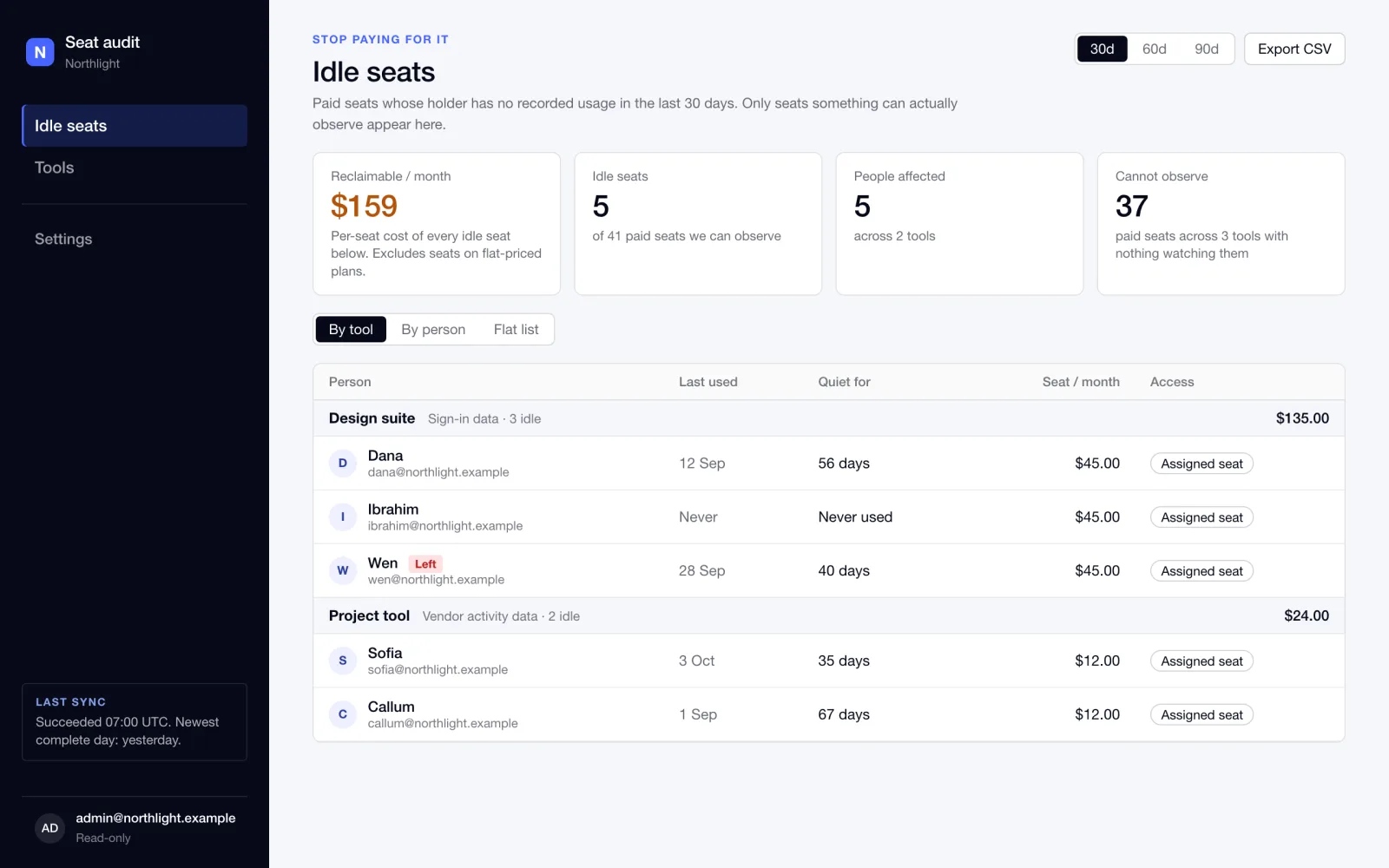
Which people have not used a paid subscription in 30 days? One page answers it.
30daysdefault idle window, with 60 and 90 one click away
6usage signal tiers, from per-login data to nothing
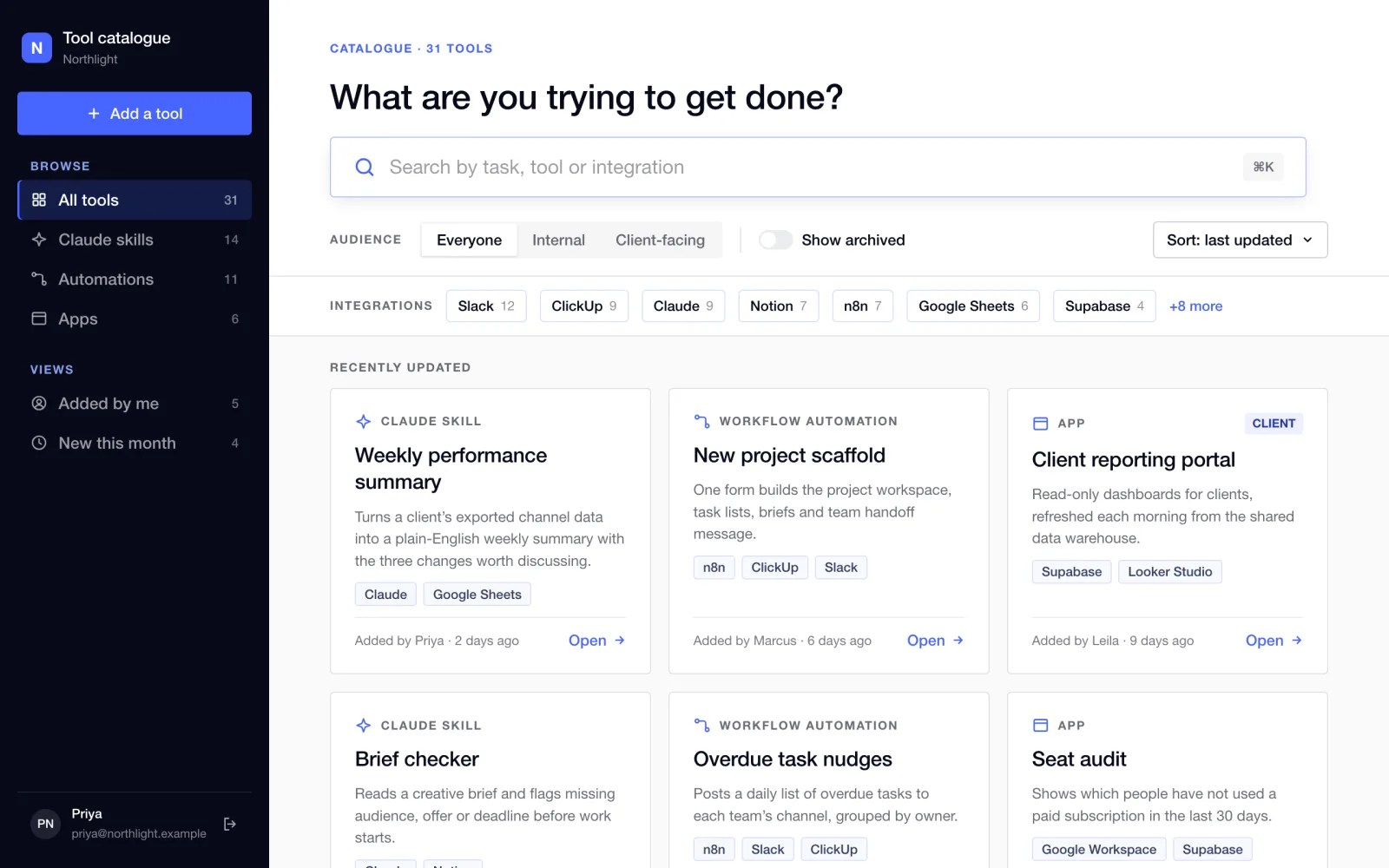
A catalogue where anyone signed in can find a tool, read how to start using it and add their own. Nothing is ever deleted, so it stays a record of what has been built.
The team was building Claude skills, workflow automations and small apps. They lived in scattered documents and chat threads. People could not tell what already existed, so work was at risk of being rebuilt, and nobody could show clearly what was automated and how.
Yash built an internal catalogue. Each entry has a description, a short quick-start guide, integration tags, an audience (internal or client-facing), an owner and a link to where the tool actually runs. The home page starts with one question, "What are you trying to get done?", and a search box. Filters narrow by type, audience and integration.
| Area | Before | After |
|---|---|---|
| Finding a tool | Ask around or search old threads | One search across title, description and integrations |
| Starting to use it | Find the builder and ask | A quick-start guide on the tool's own page |
| Retiring a tool | It disappears from view | It is archived and stays in the record |
| Knowing what is automated | No complete list | One catalogue, with an owner on every entry |
The aim is discovery: less rebuilding and a clear answer to "what do we have?". The catalogue is the first step of a wider effort to give the team consistent workflows and to show, internally and later to clients, what is automated.
The source holds no usage or time-saved figures, so none are claimed here. The screens shown use made-up tools and people.
Access is limited to company Google accounts, and that rule is checked in four places, including the database itself. There is no delete permission on tools at all. Edits warn if someone else saved first. The repository holds 223 automated tests and a script that probes every table to confirm signed-out users see nothing.
Rebuilt screens in the style of the real product. All tools, names and counts shown are fictional.
If your team has built automations and prompts that only their authors know about, a small searchable catalogue with owners and quick-start notes is a cheap way to stop rebuilding them.